Shared Phone Number
Share Business Phone Numbers With Your Team
Use the shared numbers to empower your team to make calls and send texts collectively, amplifying your impact on customer telephony communications. Effortlessly distribute tasks, synchronize responsibilities, and ensure everyone’s on the same track. Enhance teamwork and maximize results.



Get a Virtual Number
Get local, mobile, and toll-free virtual phone numbers from 100+ countries and expand your business worldwide.
How to share a business phone number with your team?
Sharing a business phone number is quite easy. In a few minutes, you can share your phone number with your team members. Here are some steps to follow:

Create a KrispCall account and Login to the Dashboard.

Select the country and number type

Choose a phone number from the list and purchase it.

Add members to your workspace and share numbers with them.

Now your team members will access to the number and they can view old call logs, make/receive new phone calls, and send/receive SMS.

What Is a Shared Phone Number?
A shared phone number is a single business phone number that your entire team can use at the same time, to make calls, send texts, and manage every customer conversation from one shared inbox, without anyone needing a separate line or device.
Unlike a traditional number tied to one person’s SIM card or desk phone, a shared business phone number runs on a cloud-based VoIP system. Any authorized team member can answer incoming calls, respond to messages, and access the full conversation history from their smartphone, desktop, or browser, whether they’re in the office, working remotely, or in a different time zone.
It is most commonly used by customer support teams handling high call volumes, sales teams who need to respond to leads faster, remote and hybrid teams staying coordinated across locations, and small businesses or startups that want a professional business identity without the complexity of a traditional phone system.
With KrispCall, you can get a shared, local, mobile, or toll-free virtual number from 100+ countries, making it the right fit whether you’re serving a local market or expanding internationally.
How Does Calling And Texting On A Shared Business Phone Number Work?
If anyone can access the phone number, their phones or computers will ring as long as Do Not Disturb is not on. There are three ring orders: all at once, random, and custom. Those who pick up first stop the phone from ringing for others. The number can be occupied concurrently, so it is never “busy ”.
Everyone receives messages and voicemails sent to the shared number through the KrispCall app. Call history, voicemail, and messages are synced to let you know if a conversation was initiated.
Everyone on the team can see the outgoing messages and the complete conversation when using shared phone numbers. Aside from the messages, you can also see who called or answered.
Everyone in the team can see who is typing or drafting a message when an incoming message comes into a shared phone number. By sharing a telephone number, multiple responses to the customer can be avoided.
Everyone on the team has access to the contact book. Any team member who adds a customer will immediately have their contact information on KrispCall.

Difference Between Shared and Dedicated Phone Numbers
Shared Phone Numbers |
Dedicated Phone Numbers |
|---|---|
Shared phone numbers are used by multiple individuals or organizations for collaborative purposes. |
A dedicated number is assigned to a single individual or entity, ensuring privacy and distinct ownership. |
Shared numbers are used for collaboration and teamwork and are versatile. |
Dedicated numbers provide singular control and identity. |
You can easily scale your system for a large number of users with shared phone numbers. |
Phone numbers that are dedicated may require additional resources for scalability, making them more suitable for established companies. |
Pros and Cons of Shared Phone Numbers
Do’s
Don’t
Sending SMS Text Message For Business Use: Best Practices

Determine your needs

Consider an easy-to-remember number

Consider the cost

Check the features offered

Consider scalability

Read customer reviews
More Features like Shared Phone Number
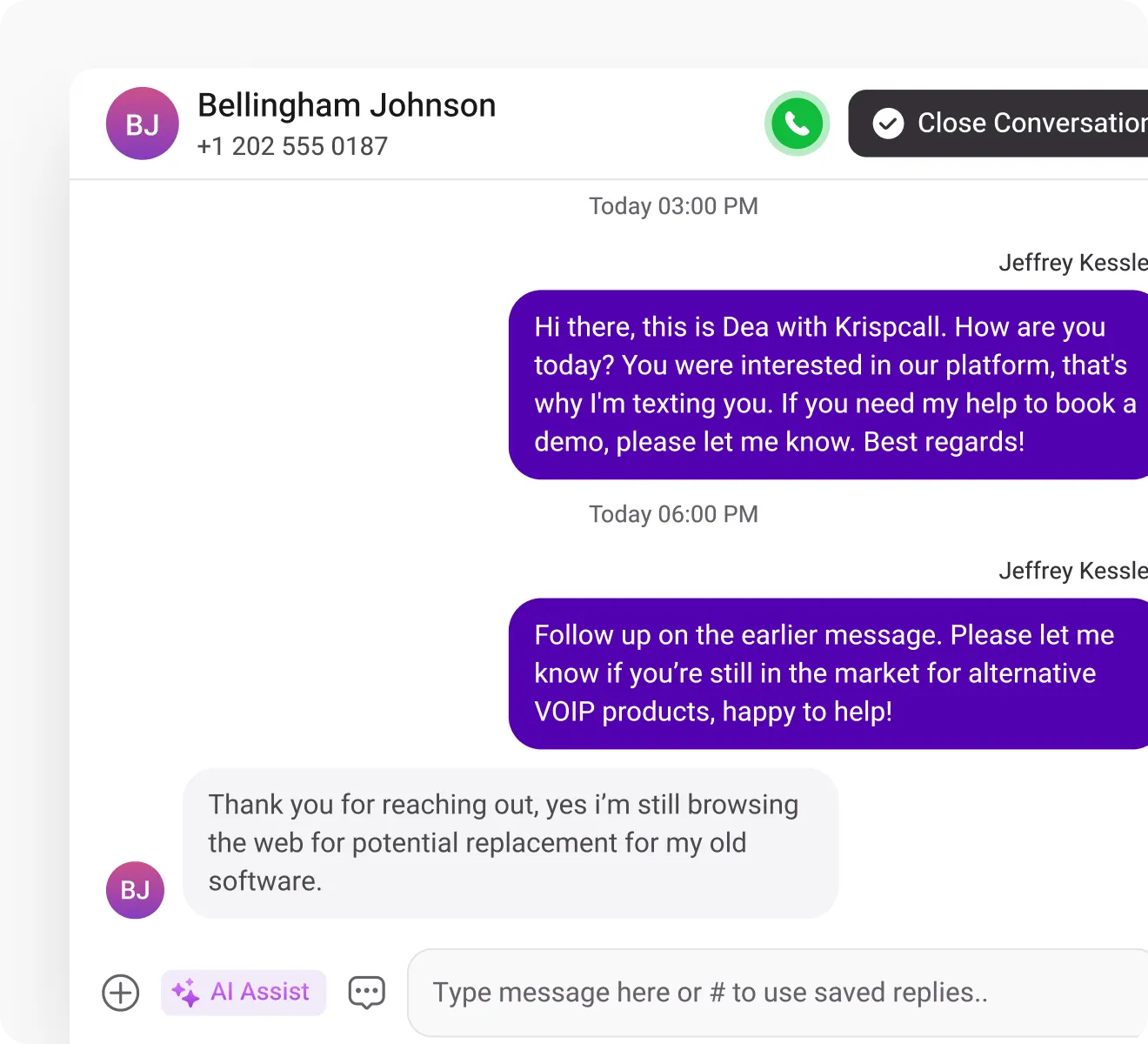
Unified Callbox
Get every detail of calls, SMS, MMS, and voicemails in a single window and access all conversations without switching apps.
Phone Tree (IVR)
Leverage KrispCall's phone tree for efficient call routing, ensuring swift access to the right department for information.

Call Analytics
Get comprehensive call metrics in real time with KrispCall's analytics, covering volume, duration, inbound/outbound calls & more.

Frequently Asked Questions
Didn’t find the Answer you were looking for? Visit our Help Center or Contact Support
Yes! Two phones can have the same number. A Shared Number feature allows users to use the same number on more than one device.
Yes, you can ring multiple phones with one number using the number-sharing feature. With simultaneous ringing, a single incoming call can reach several devices at the same time and ring several of them at once
If you are cautious about who you share your phone number with and how it is used, sharing your number can be safe. You should only share your phone number with trusted individuals or reputable organizations.
You can use one phone number on multiple devices using the following methods/features.
- Shared phone number feature
- Call Forwarding
- Your Provider’s Multi-Phone Service
- Use VoIP apps
