Auto Attendant Phone System
Auto Attendant Software for Your Businesses
Never miss calls from potential customers with the help of KrispCall’s Auto Attendant. Welcome your callers around the clock and seamlessly route them to the right employees and departments, no matter where they are in the world.


Get a Virtual Number
Get local, mobile, and toll-free virtual phone numbers from 100+ countries and expand your business worldwide.
9000+ companies worldwide trust and cherish our service













How to set up An Auto Attendant?
Setting up an auto attendant is easy and simple with KrispCall. In just a few straightforward steps, you can create a professional and efficient greeting for your callers, ensuring they experience minimal wait times.

Create an account with KrispCall.

Choose the phone number you want to activate the auto attendant feature.

Go to the IVR menu.

Enter the customized greeting messages.

Add the extension number of each department or agent.

Set call routing rules
What is a Auto Attendant?
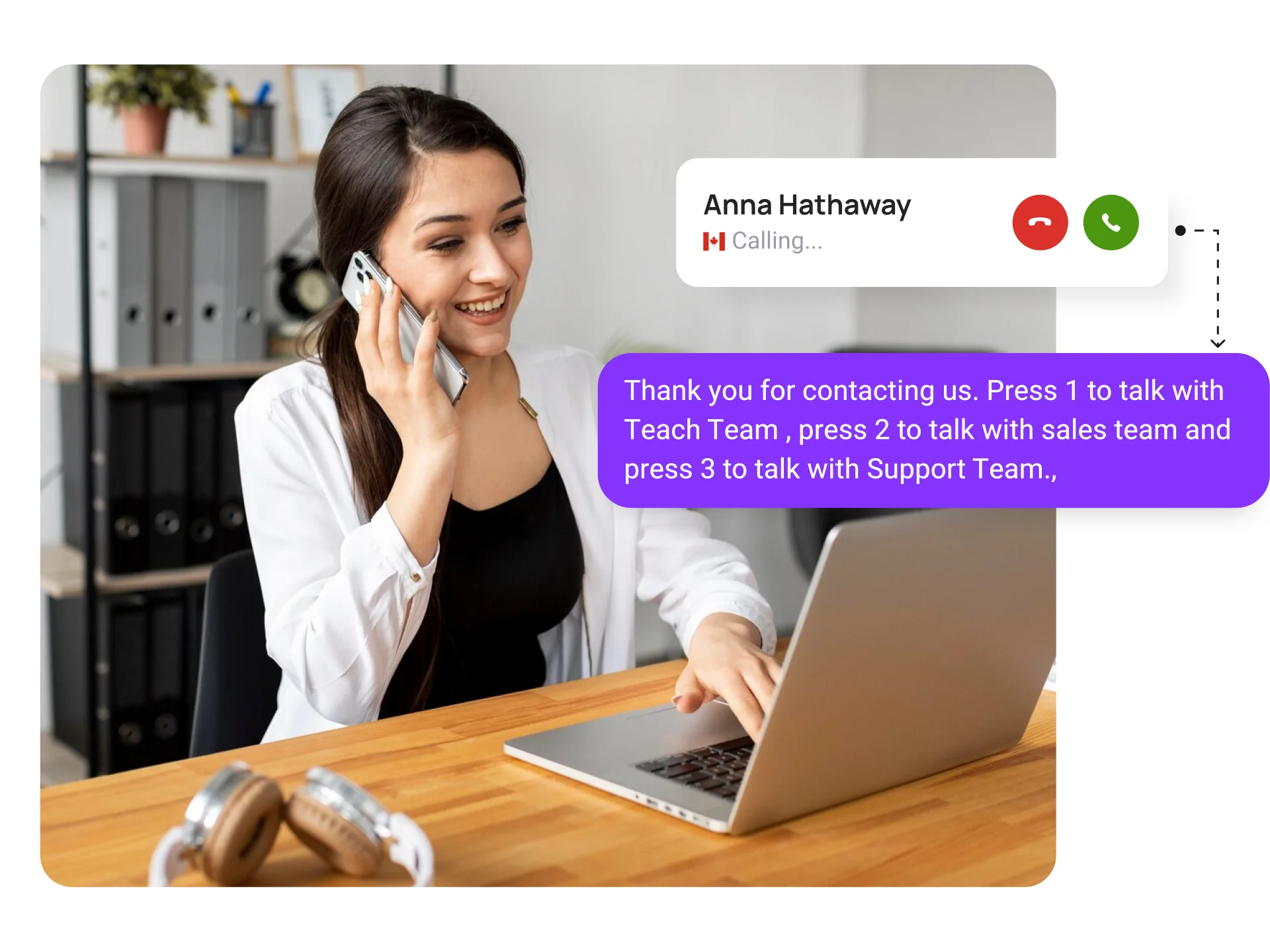
An auto-attendant is a cloud telephony feature that greets callers and routes them to the appropriate department or person. It acts as a virtual receptionist, handling routine inquiries and directing calls to the appropriate departments or individuals.
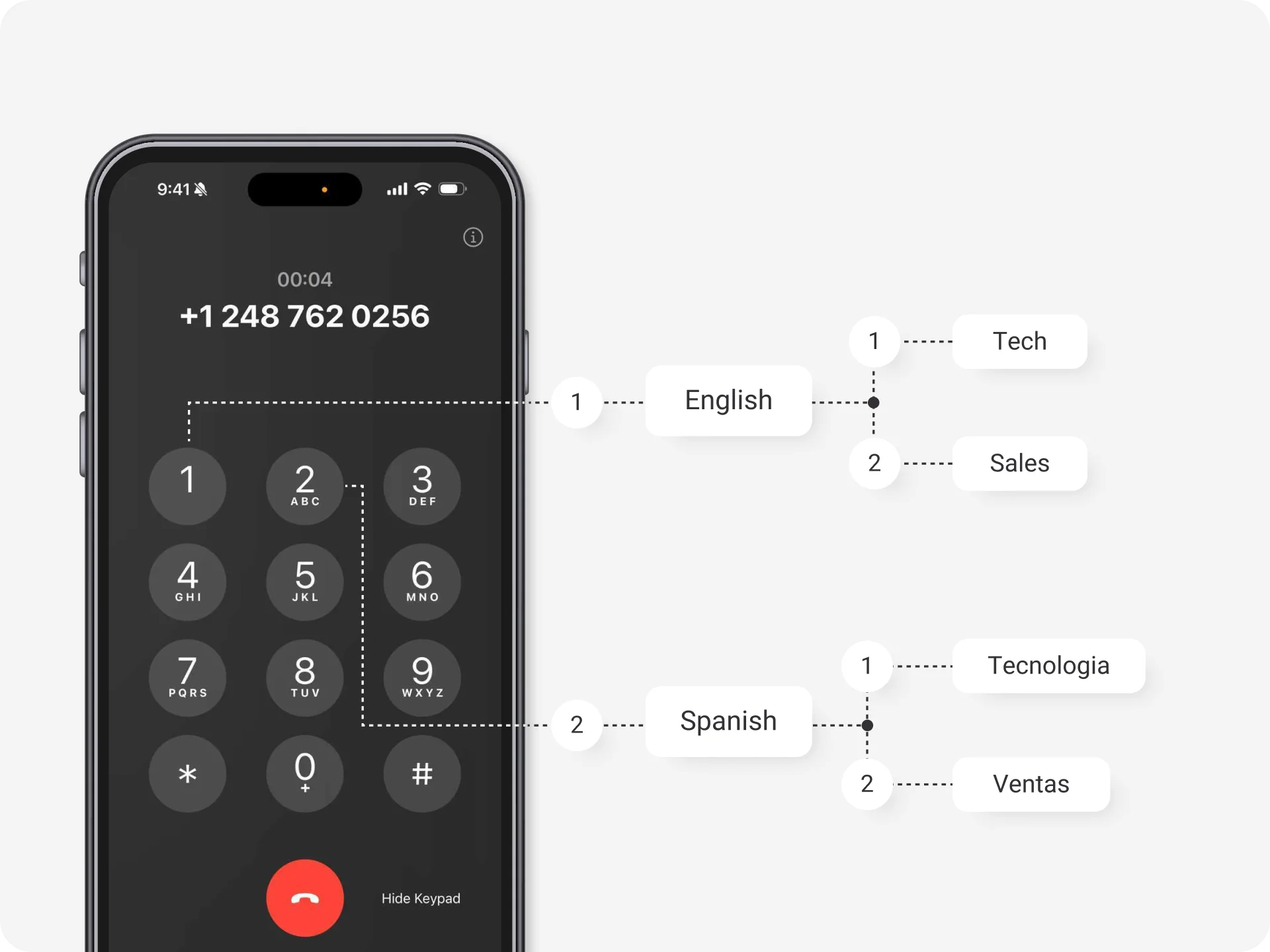
When a caller contacts your business, they are welcomed by a pre-recorded message that presents various options. These options include pressing a designated number to connect with a specific department. The auto-attendant then forwards the call to the chosen department or person, ensuring that callers avoid long hold times and the necessity of speaking with a live receptionist.
Expand Your Office Worldwide with Virtual Office Phone Numbers
Easily handle incoming calls from customers and businesses to provide greater customer support at their preferred country number.


KrispCall Internet Telephony Features
Unlock awesome features in your custom local phone number to upgrade your business communication.
Seamlessly integrate with over 100+ CRMs
Find your CRM
Connect with the CRM applications you use. With KrispCall, you can integrate with over 100 applications seamlessly.
How KrispCall Auto Attendant Phone System Works?
Calls can be directed to the right departments within the organization according to set criteria. There are three major steps involved in the process of KrispCall’s Auto Attendant Phone System.

Greeting

Menu options

Dial extension
What Are The Differences Between Auto Attendant And IVR?
Auto Attendant |
IVR |
|---|---|
Auto attendant is a phone system that routes a caller's call to a company's appropriate department or individual. |
IVR is an advanced form of auto attendant that provides more advanced functionality and does more than just routing calls. |
Auto attendant transfers calls to relevant departments based on selected inputs: press 1 for sales, press 2 for customer support, etc. |
IVR transfers call to relevant departments based on selected inputs and previous customer interactions. |
It provides limited interaction options than IVR. |
It gives more interaction options than IVR through voice and keypad inputs. |
It lacks voice recognition technology. |
It has voice recognition technology. |
Auto attendants have no access to the database. |
IVR can access databases and can also edit details in the database. |
An auto attendant is a good choice if you want a phone system that only routes calls to appropriate departments and greets callers. |
IVR is a good choice if you want a phone system that can interact with a caller and provide a self-service facility to customers. |
Application & Use Cases of Auto Attendant Software
Auto attendant software helps small businesses streamline their incoming call management by routing calls to the appropriate agents or departments. Additionally, the pre-recorded voice messages provide essential business information such as operating hours, location, holiday schedules, and service offerings.
This efficiency allows office staff to focus on more important tasks instead of repeatedly sharing these details with callers. Moreover, it enhances the professional image of small businesses in the eyes of potential clients.
The auto attendant system empowers medical offices to efficiently manage a high volume of patient calls, directing them to the right departments for timely service. With this innovative software, patients can easily request prescription refills, schedule appointments, and inquire about business hours, all of which enhance their overall experience.
Additionally, it significantly reduces the time staff dedicates to call management, allowing them to focus on providing quality care.
Call centers receive huge phone calls from customers daily. Some customers call to know about the business hours, some to discuss their issues, and some about its services. This is where the Auto attendant phone system comes in handy.
It enhances customer satisfaction and improves call center efficiency by offering self-service options for common inquiries, routing calls based on caller preferences, and updating business offers.
Hotels can enhance customer experience by incorporating frequently asked questions into an automated voice message system. This allows callers to quickly learn about room availability, types, and locations without needing to speak to a live receptionist.
Additionally, callers can effortlessly navigate to the front desk, room service, and other amenities through convenient menu options.
Auto attendant software enables law firms to manage their incoming calls, directing calls to the appropriate attorneys or departments while delivering essential information like office hours. This technology enhances client satisfaction and optimizes call handling efficiency.
Why Choose KrispCall Auto Attendant Phone System?
The KrispCall Auto Attendant offers several top-notch features and functionality that compel any business to try. Below are some reasons companies choose the KrispCall auto attendant phone system:
Proud to be Recognized as VoIP Leader & Regional Leader in ANZ, EMEA, Europe, and Asia Pacific by G2








J C.
HR Officer

Jun 23, 2025
“I love how easy KrispCall is to use, and the helpful support makes it easy for me to manage multiple numbers and stay connected globally.”

Mike B.
Co-Founder and Business Dev...
Jun 04, 2025
“KrispCall won us over with lightning-fast support, effortless access to numbers and SMS, and pricing that makes sense for small businesses.”

Tkachenko E.
Software Developer
Apr 21, 2025
“KrispCall lets me manage all my calls, texts, and voicemails from one place, helping me stay organized and present a professional image wherever I work.”

Amanda C.
CEO
Jan 22, 2025
“KrispCall’s quick, respectful customer support helped me find the perfect solution for global calls and a customer service number!”

Nagendra V.
Digital Marketing Specialist
Oct 07, 2024
“KrispCall makes global calling effortless with all the tools I need in one place—perfect for connecting with clients worldwide & my digital marketing needs!”

James S.
Software Engineer
May 21, 2025
“KrispCall’s easy setup and intuitive interface keep my team’s communication organized, while its AI-powered platform has streamlined global calls and customer interactions.”

Taha Ryuko S.
Founder & CEO
May 29, 2025
“We received a prompt response right after reaching out, and KrispCall helped resolve my virtual identity issue.”

Colin L.
Server
Feb 11, 2025
“We use KrispCall for a Hong Kong number to receive OTPs—the service is reliable, support is excellent, and the daily usage emails keep us in the loop.”

Lucas W.
Product Manager
Dec 3, 2024
"KrispCall’s authentic, professional service and exceptional customer understanding make staying connected with clients effortless—I’m very happy with it!"

Pushkar Verma
Director
Aug 12, 2024
“The setup process was very easy, with chat support available during our business hours. We needed a UK number with WhatsApp setup, and this solution met our needs at a reasonable price.”

Turan B.
Researcher
Jun 05, 2025
“KrispCall helped me get a virtual number that makes international calling smooth and easy.”

Sandeep M.
Real Estate Specialist
Apr 22, 2025
“KrispCall helped me get a UK number and set up WhatsApp and Telegram effortlessly for my real estate client calls from Dubai.”

Teddy M.
Finance Professional - Busin...
Feb 04, 2025
“Super quick setup and amazing support, KrispCall made it easy for our customers to reach us!”

Hunter F.
Business Analyst
Nov 12, 2024
"KrispCall’s amazing VoIP features and seamless number porting have been essential for managing my international business calls and remote team—highly recommended!"

Matthew Jones (JP, AFIML)
Associate Fellow
Jul 18, 2024
“Been using KrispCall for a while now and the service is great and the customer support is so responsive”
Advantages & Disadvantages of
Automated Attendant Phone System
Advantages & Disadvantages of Automated Attendant Phone System
Advantages
Disadvantages
Auto Attendant Best Practices
Some best practices to effectively use an auto attendant are as follows:
List Menu Option According to Their Importance
This will help callers navigate the phone system quickly and ensure that they don’t miss important messages or information.
Using Professional Voice Talents
They can pronounce a word clearly and know how to produce high-quality recordings crucial for callers understanding.
Use On-Hold Messaging Features
On-hold messaging also allows callers to prepare documents they may need during the call, turning waiting time into a valuable and productive experience.

Clear and Professional Greeting
Never miss a call! Automate your incoming calls.


Frequently Asked Questions
Didn’t find the Answer you were looking for? Visit our Help Center or Contact Support
Auto Attendant is an automated phone system that greets callers, provides menu options, and routes calls to the appropriate department or individual without requiring manual and human intervention.
A multi-level auto attendant is an advanced feature of the auto attendant that allows businesses to establish a hierarchical system for routing calls and sending messages. This feature empowers companies to create multiple levels or tiers of menus and submenus, to manage and direct incoming calls efficiently.
Auto Attendant uses pre-recorded voice prompts and customizable menu options to guide callers through several choices. Based on their selection, the system intelligently routes the call to the desired destination.
Yes, you can integrate voicemail with Auto Attendant System. Auto Attendant seamlessly integrates with voicemail systems, ensuring callers can leave a message if needed. You can access voicemails easily and manage them efficiently.
Yes. You will receive analytics or call reporting from the Auto Attendant. Most Auto Attendant system consists of analytics and reporting features that provide detailed call analytics and reporting, giving insights into call volume, call durations, peak call times, and other valuable metrics. These analytics can help you optimize your call handling and improve the customer experience.
Yes, most Auto Attendant supports multiple languages. You can configure the system to provide greetings and menu options in different languages to cater to your diverse customer base.
Yes. We are always available to assist you whenever you have a technical question.
Yes. KrispCall Auto Attendant is compatible with landline and mobile phone systems. It can seamlessly integrate with your existing phone infrastructure, regardless of the type of phone service you use.
