AI Reply
Effortlessly respond to messages with the help of AI
Simplify your messaging with AI Reply. This easy-to-use tool quickly generates meaningful responses, keeping your interactions timely and letting you focus on more important tasks.


Get a Virtual Number
Get local, mobile, and toll-free virtual phone numbers from 100+ countries and expand your business worldwide.
What is AI Reply?
AI Reply is an advanced tool designed to generate responses based on incoming messages using artificial intelligence. It generates thoughtful and accurate replies to incoming messages. This tool initially analyzes the context and content of messages in a conversation and then crafts responses that are both relevant and engaging.
This automation not only saves time for agents but also maintains a high standard of communication. It simplifies the messaging process and allows agents to focus on more strategic tasks. This ensures that every interaction is handled promptly and professionally.
How does AI Reply work?
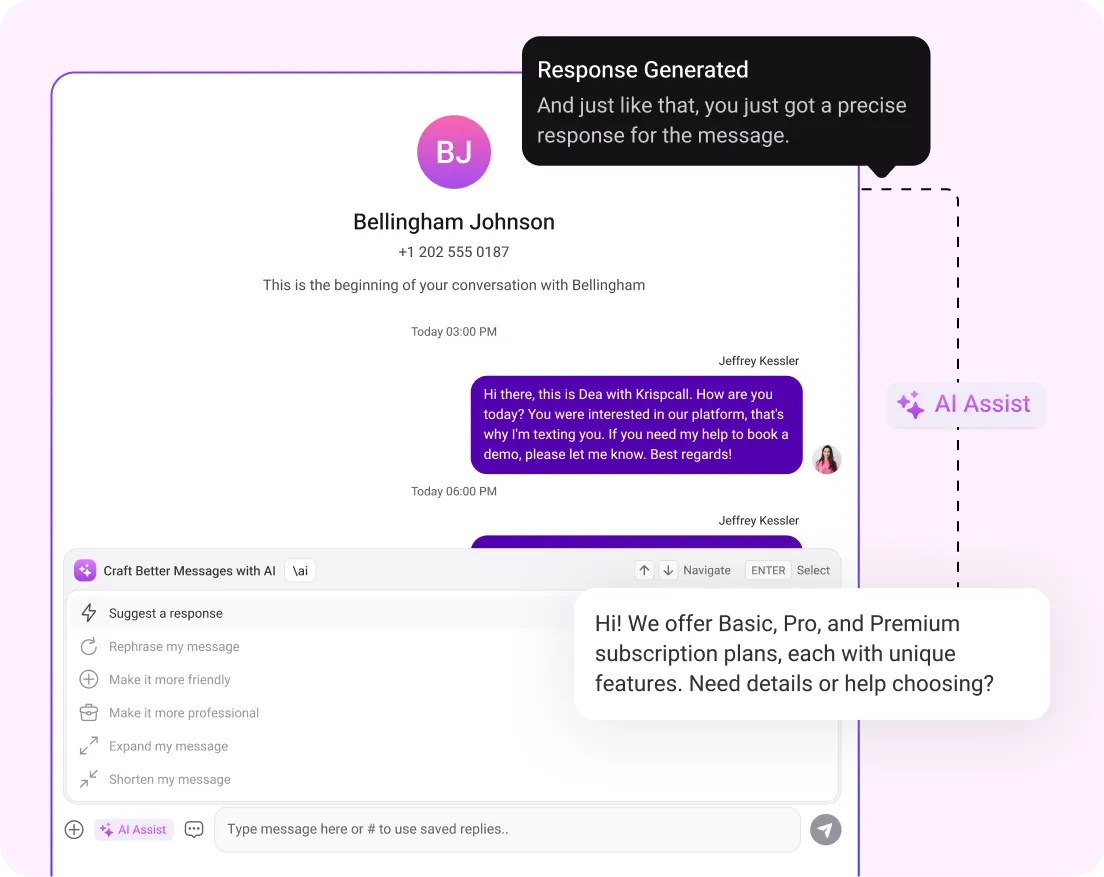
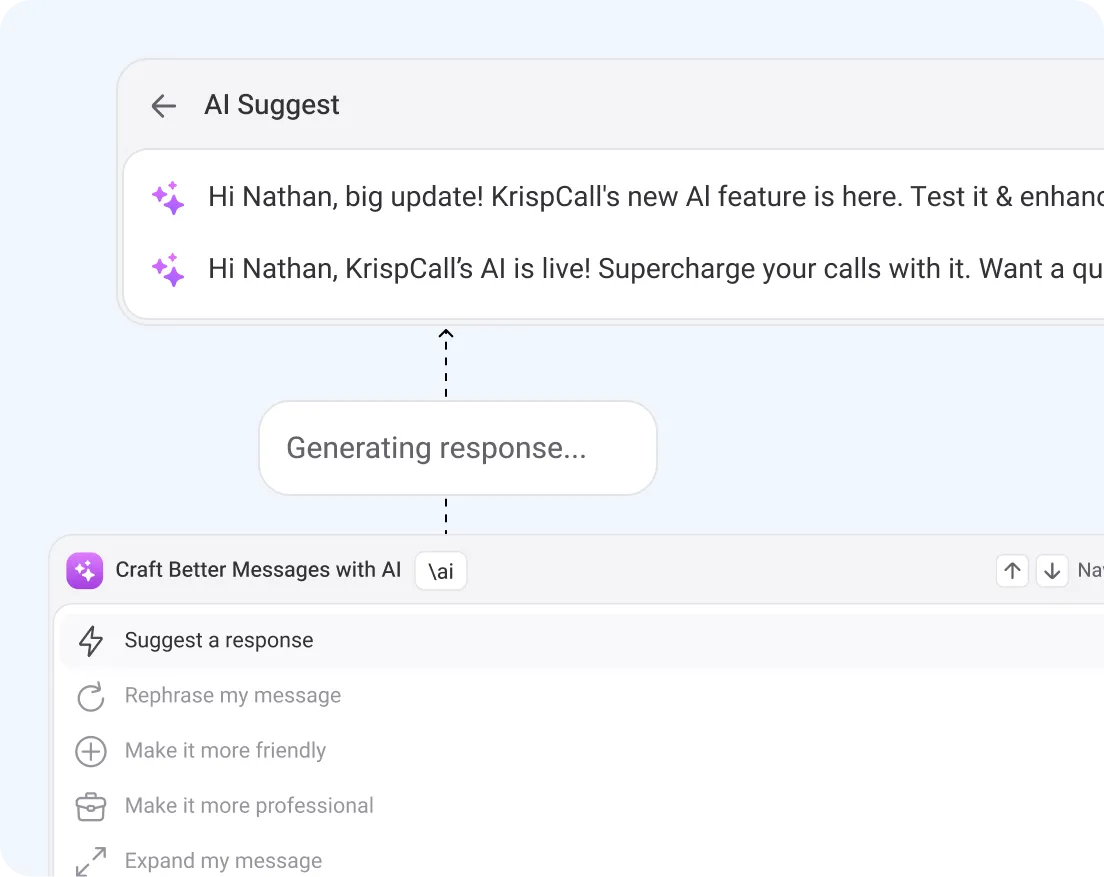
AI Reply uses artificial intelligence NLP techniques to automatically generate responses to incoming messages. Here’s a simple breakdown of how it functions:
- Firstly, when a message arrives, AI Reply analyzes its content to understand the context and intent.
- Based on this analysis, AI Reply then creates relevant and accurate replies. This ensures that the response aligns with the message's needs.
- After that, AI Reply follows predefined guidelines to keep the tone and style of responses consistent with your brand.
- The system learns from past interactions and user feedback to improve its responses over time, making them more accurate and tailored.
When you get a message, click the AI Reply button above the text box. Then, it will generate four-response messages for you. Use the up/down arrow keys to navigate through them, then press Enter to send your chosen response.
How to use KrispCall’s AI reply?
Here’s a simple guide to using AI Reply in KrispCall:
- Navigate to the Unified Callbox, where all incoming texts and chats appear.
- Click on the conversation you want to respond to.
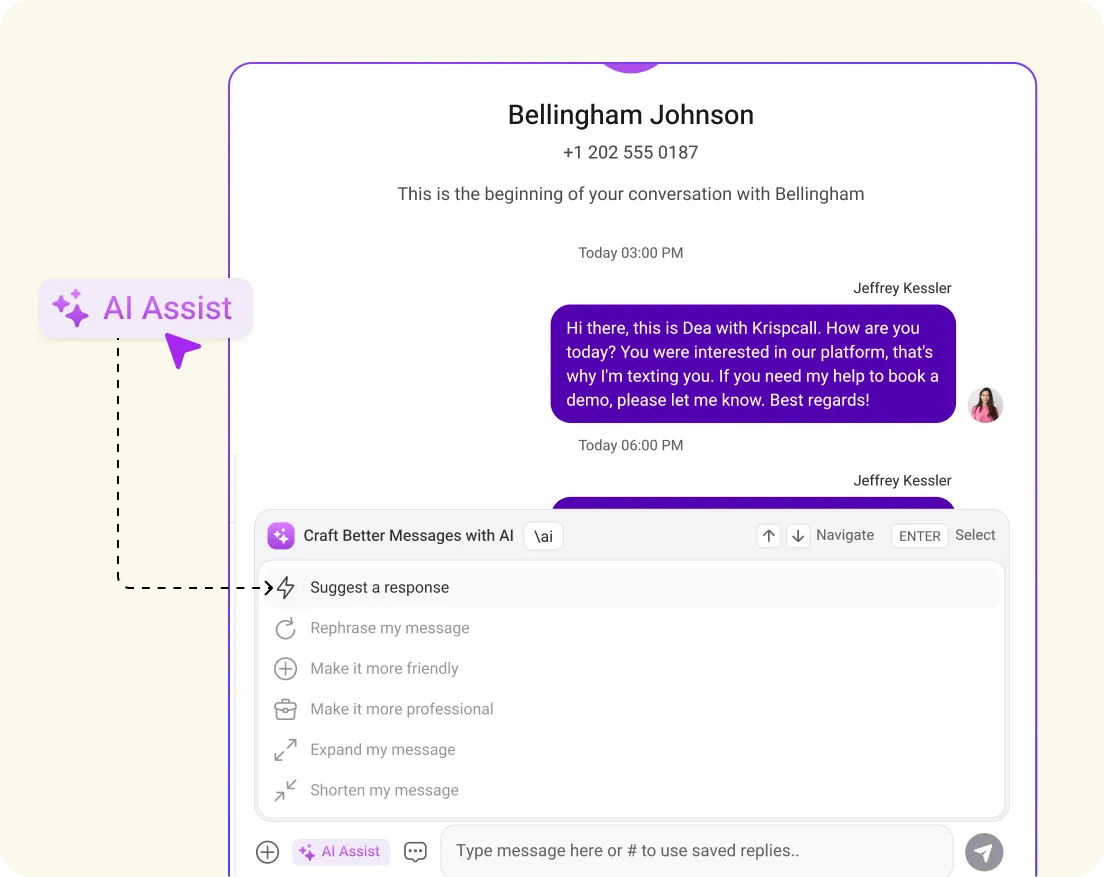
- You’ll see the AI assist button next to the reply box. Click on it and select the 'suggest a response' option.
- Choose one of the four responses you would like to send. You can also rephrase the message, customize the reply tone (e.g., professional, friendly), or adjust the message length (e.g., expand, shorten), all of which come with four different options.
- Read the AI-generated response and make any modifications before sending. Once satisfied, send the reply.
Benefits of AI Reply
Best Practices for AI Reply
Request early access to
Unlock the power of AI in your calls with KrispCall's cutting-edge technology.
Frequently Asked Questions
AI Reply automatically generates appropriate responses for incoming messages, which eliminates the need for manual replies and saves valuable time for agents. This allows them to focus on more strategic tasks while ensuring prompt replies.
First and foremost, AI Reply analyzes the message context and looks out for past interactions. Based on this information, then it generates tailored responses. This personalization makes interactions more relevant and engaging for each user.
Agents no longer need to manually type responses. By simply clicking on AI Reply, they receive immediate, automated replies to incoming messages, reducing delays and ensuring timely communication.
AI Reply can handle a wide range of messages. From customer inquiries to routine communication, this tool generates relevant responses based on the message content and context.
AI Reply works by utilizing AI technology to generate responses to incoming messages. When a message is received, AI Reply analyzes its content to understand the context and intent. It then generates a relevant and accurate response.
